
Once you have created your account, its time to verify. Head to the verify page to get started.
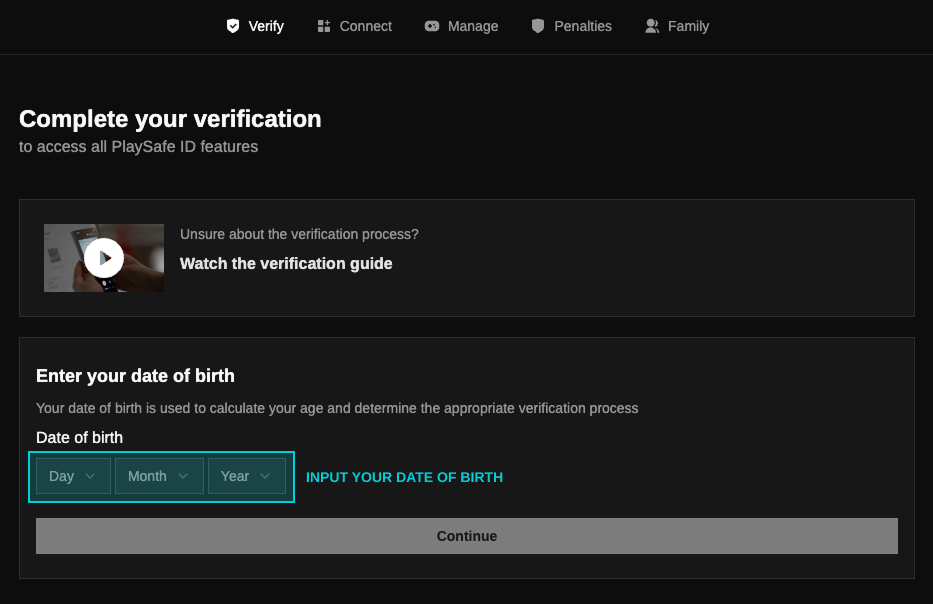
Here you'll be prompted to complete your verification. Simply enter your D.O.B to continue.
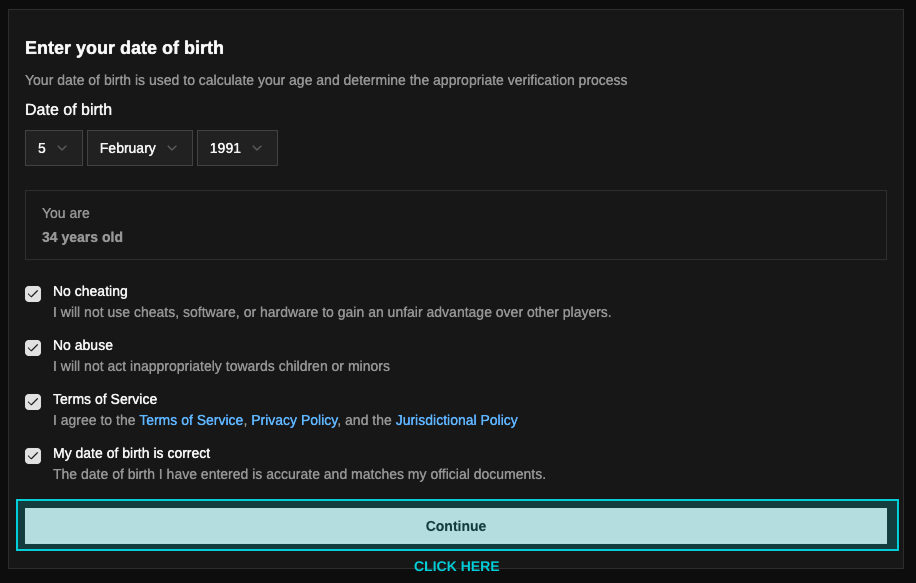
Once you've entered your correct D.O.B, you'll be prompted to read and agree with the following terms to proceed.
Once continued, confirm your document meets the requirements for the verification and click "start verification" to proceed with our KYC check. This is handled by our partners Onfido, an Entrust company.
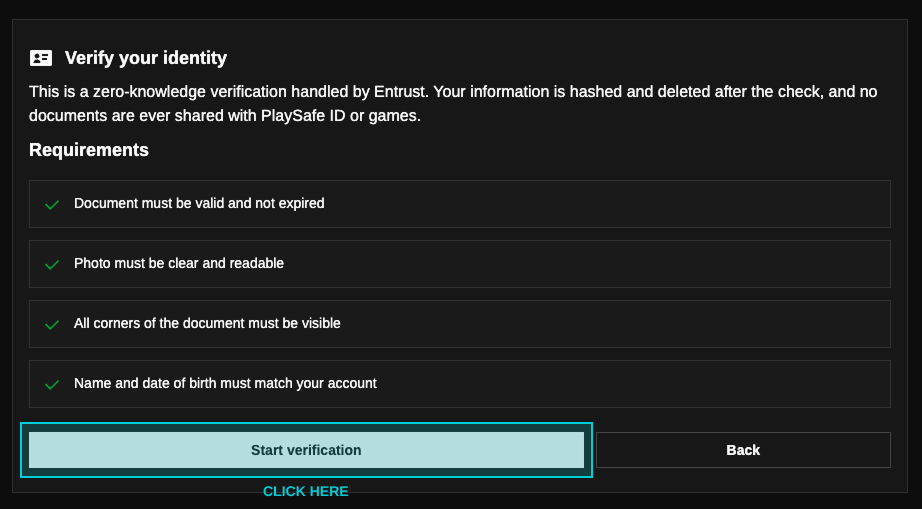
Please ensure the following when attempting the verification:
- Valid supported document
- Document matches biometric and account details
- Good image quality, with good lighting and clear background
- All document information is displayed clearly and accurately
- ID must be physically present during verification - photos or scans of documents are not accepted
Once verification is complete, your information is deleted. The only thing remaining is an encrpyred and sealed biometric token. Click here if you'd like to view our data handling FAQ's.
You'll now have full access to all PlaySafe ID features.